3D Pipe File Does Not Load
When it comes to loading pipe, there are many difficult decisions that ProfileShop has to make.
In order to make it a bit easier on the software, there are a few tips that you can try.
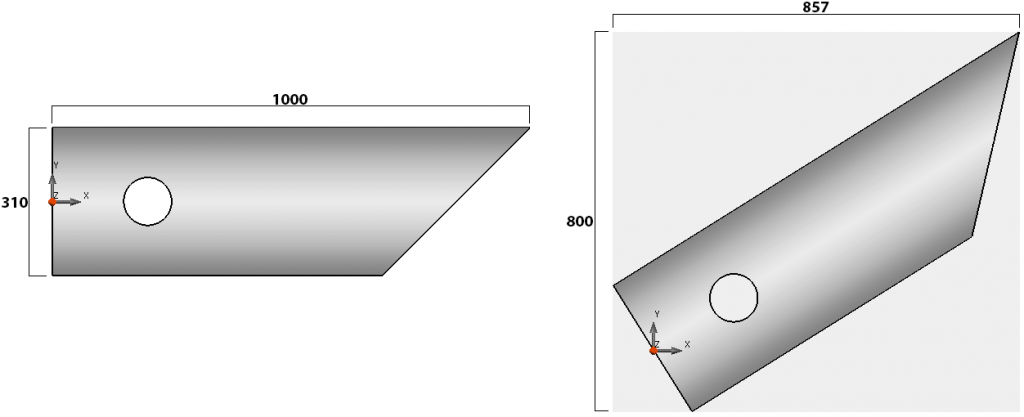
One of the best ways to help is by aligning the 3D drawing along an axis, prefereably the X axis. By doing this, the software can easily see that it’s boundary dimensions are (for example) 1000x310x310. By having it perfectly aligned to an axis, the software can easily discern that the example pipe here is 310mm pipe, and 1000mm long.
If for example the pipe were to be on a 32 degree diagonal, we might see boundary measurements like ~857x800x310 which is much more confusing and additional recognition processes have to be done, this adds more room for error.
For more help see 3D Pipe File is Missing Cuts