3D Pipe File is Missing Cuts
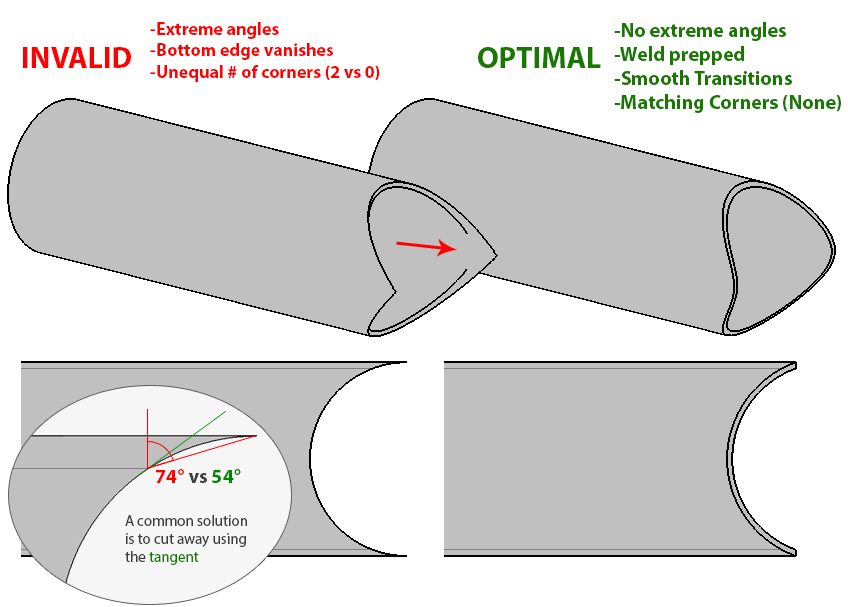
The biggest cause of missing cuts on Pipe is due to butting multiple pipes together to create a “Frogmouth”.
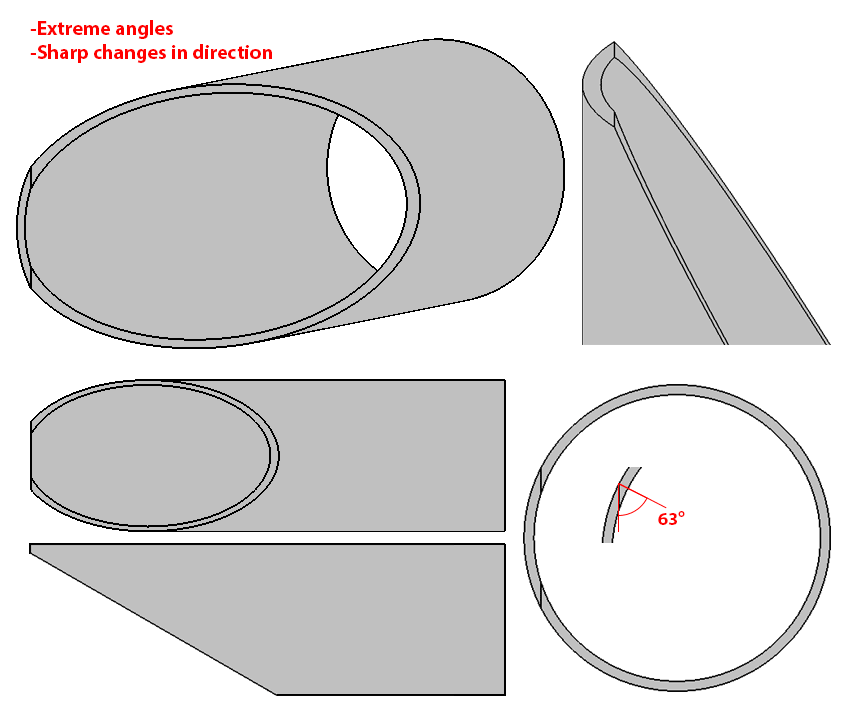
Problems often occur because the angle of the cuts required often exceed 60 degrees, sometimes up to 70 or even 80 degrees.
Quick Solution:
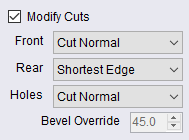
The quickest way to solve the issue is by enabling ‘Shortest Edge’ on the offending cuts.
How to enable: With the file loaded, click the ‘Job’ tab on the main sidebar or ProfileShop. At the bottom of that tab, you will find three selection boxes allowing simple modifications of various cuts. It is recomended to set a frogmouth cut that is not loading to ‘Shortest Edge’.
This adjustment will be saved and remembered for that file in a hidden file within the same folder. Be sure to check that new files loaded afterwards have the wanted settings, as if it’s a previously unseen file, the previous files shortest edge setting will be used.
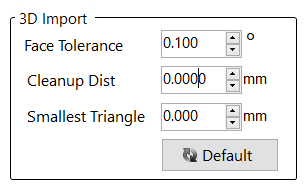
On some files, you may need to adjust the face tolerance of the 3D import. This is found under the Beamline Settings > Round > 3D Import > Face Tolerance. Changing ‘Face Tolerance’ to 0.1 can help if it still refuses to generate even with shortest edge.
Proper Solution:
If the above solution still doesn’t help, manually modifying the file will be required. Ensure there are no extreme face angles, sharp changes of bevel (especially ones exceeeding 45deg relative to the surface), or parts of the face becoming extremely thin.
Remember! Each top edge should have a matching bottom edge!